How to use MongoDB in n8n

In my recent work, I have been exploring various aspects of n8n automation workflows. I find it is a cool tool to quickly prototype AI ideas and then move towards Mastra or Open AI SDK based on how the project evolves. I have built and deployed many tools using this approach and maybe I will write about it in sometime.
Today, I want to dive into something that's been incredibly useful in my own projects - working with MongoDB in n8n. If you're building workflows that need to store, retrieve, or manipulate data persistently, MongoDB is a fantastic option, and n8n makes it surprisingly straightforward to work with. However, the documentation is a bit hit and miss and so, I am writing this for future Rohit, to avoid needing to experiment again.
Let's get right into it.
The Critical Role of Data Preparation
One of the first lessons I learned (the hard way, I might add) when working with MongoDB in n8n is that data preparation is absolutely essential. You can't just throw random JSON at your database and expect things to work smoothly!
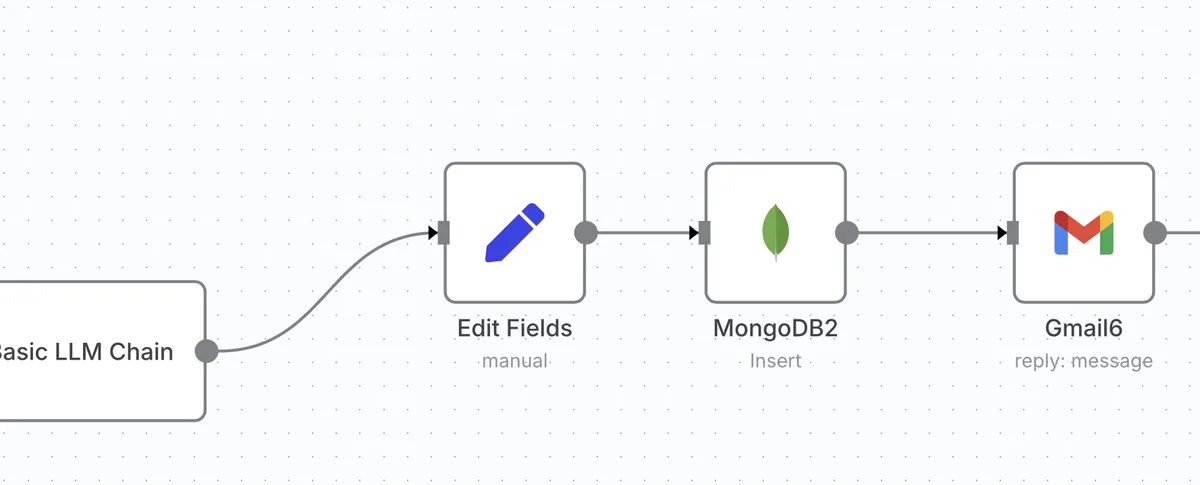
Here's the golden rule I now follow religiously: Always use a Set or Edit Fields node immediately before your MongoDB Insert or Update node.
Let me show you what this looks like in practice:
[Previous Node] → [Set/Edit Fields Node] → [MongoDB Node]
This preparation step serves several crucial purposes:
- Normalizing Field Names: This is where you explicitly rename or create properties to match your MongoDB schema exactly. For example, if your MongoDB collection expects a field called
userNamebut your incoming data hasuser_name, this is where you make that transformation.
Aligning Data Types: MongoDB cares about data types! If you need a boolean
isActive: truebut your data has a string"isActive": "true", this mismatch can cause subtle bugs that are maddening to track down.Setting Default Values: Need to ensure certain fields always exist? The Set node is perfect for adding default values like
lastUpdated: new Date()orstatus: "pending".
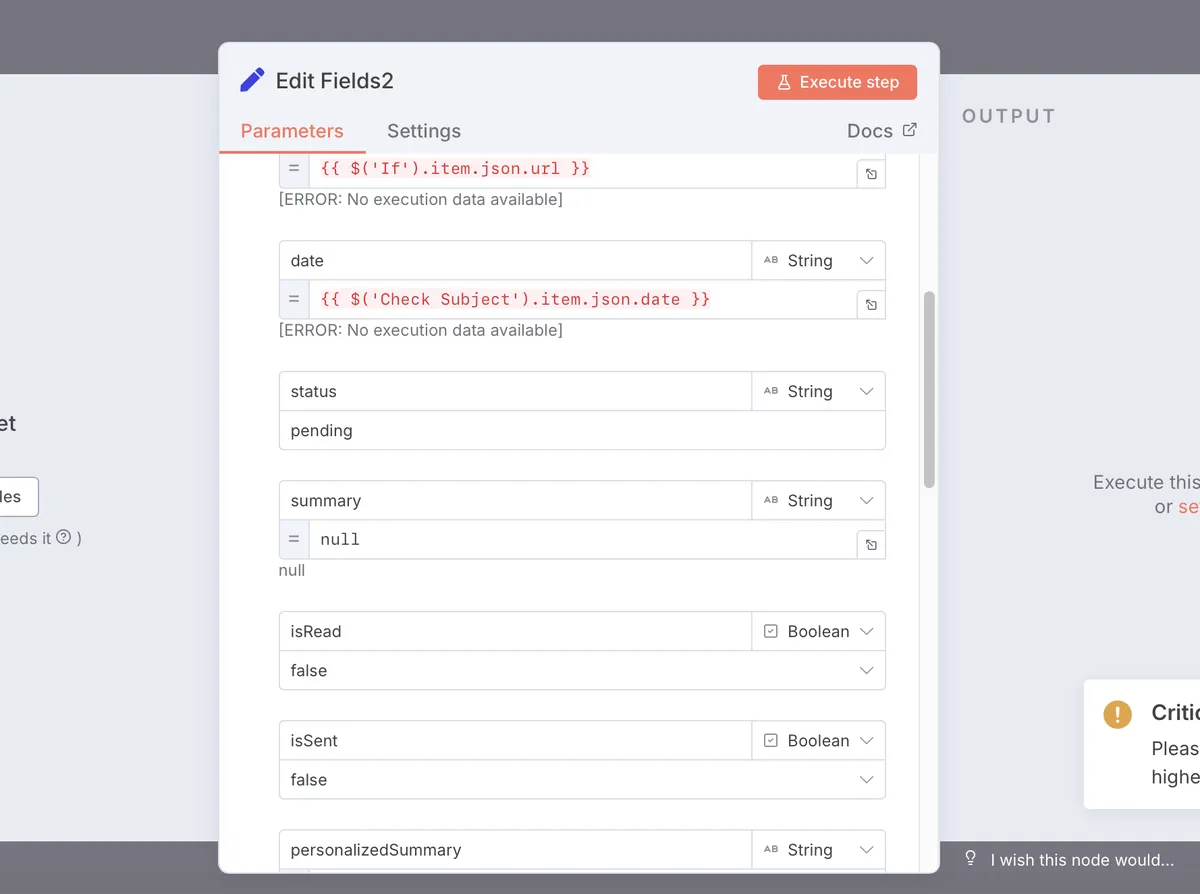
This approach has saved me countless headaches by ensuring my data is properly formatted before it hits MongoDB.
The _id Field
The MongoDB _id field is like the primary key in traditional databases, but with some special characteristics that took me a while to fully understand.
When you're reading documents from MongoDB, each one comes with a unique _id field that looks something like "_id": {"$oid": "5f8d0e0b9d3b2a1e9c8b4567"}. This is an ObjectId, not just a simple string, and it's the key to working with specific documents.
For update operations, this _id is absolutely critical.
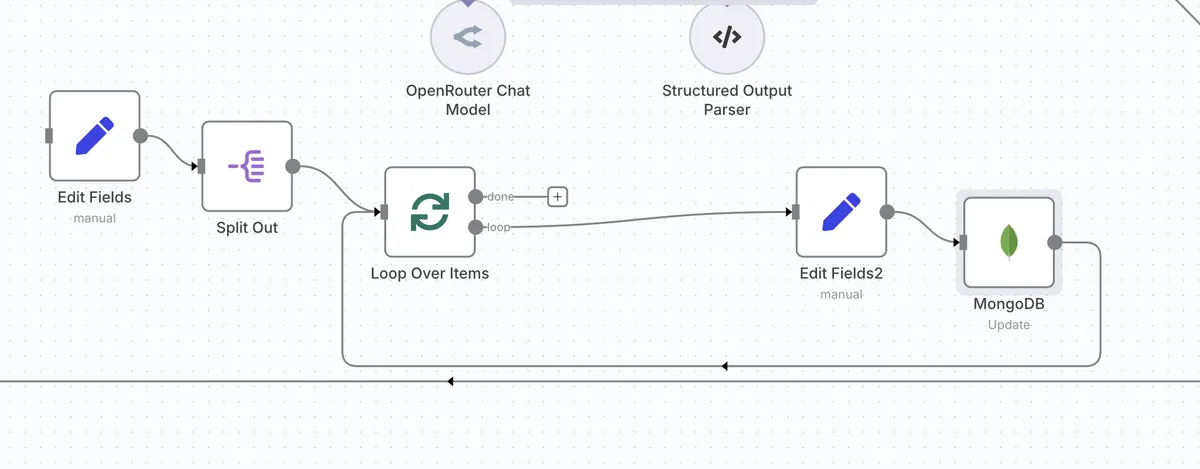
Here's how I handle it:
- First, I make sure my MongoDB "Find" operation includes the
_idin the returned fields. - Then, when setting up the MongoDB "Update" node, I configure it to use
_idas the "Update Key".
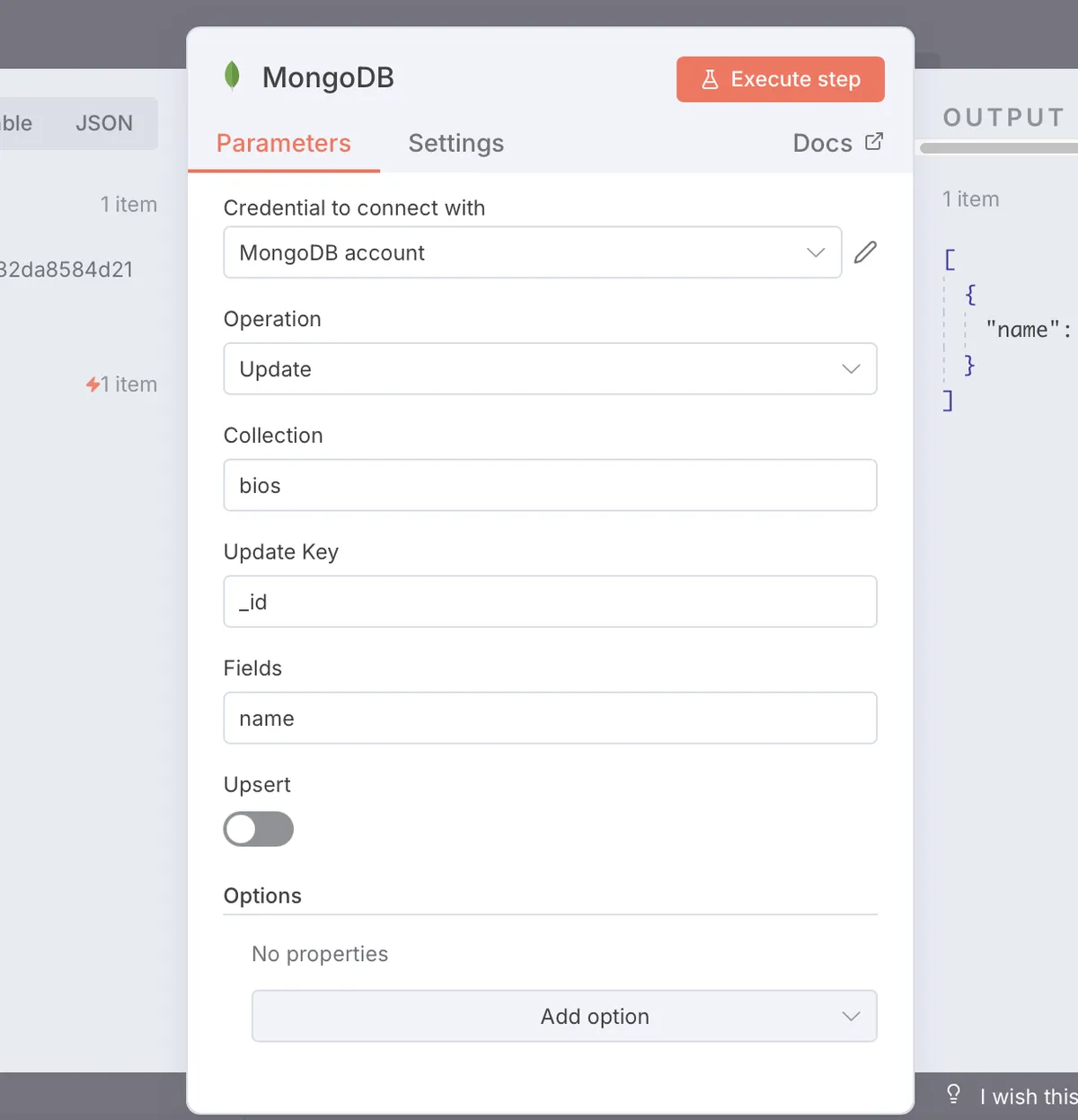
Here's what this looks like in the MongoDB node configuration:
Operation: Update
Collection: users
Update Key: _id
This tells MongoDB, "Find the document with this specific _id and update it with my new data."
I learned through trial and error that you don't need to convert the ObjectId back to a string - n8n and MongoDB handle this conversion automatically as long as you're passing the entire _id object through your workflow. Just rename the id field to "_id".
CRUD Operations in n8n
Let's walk through how each of the four basic database operations (Create, Read, Update, Delete) works in n8n with MongoDB:
Create - Insert Documents
This is how we add new data to a collection. The workflow typically looks like:
[Trigger] → [Data Preparation] → [MongoDB: Insert]
In the MongoDB node, I set:
Operation: Insert
Collection: myCollection
The document to insert comes from the previous node in the workflow. This is where that data preparation step is crucial - making sure all fields are properly named and formatted.
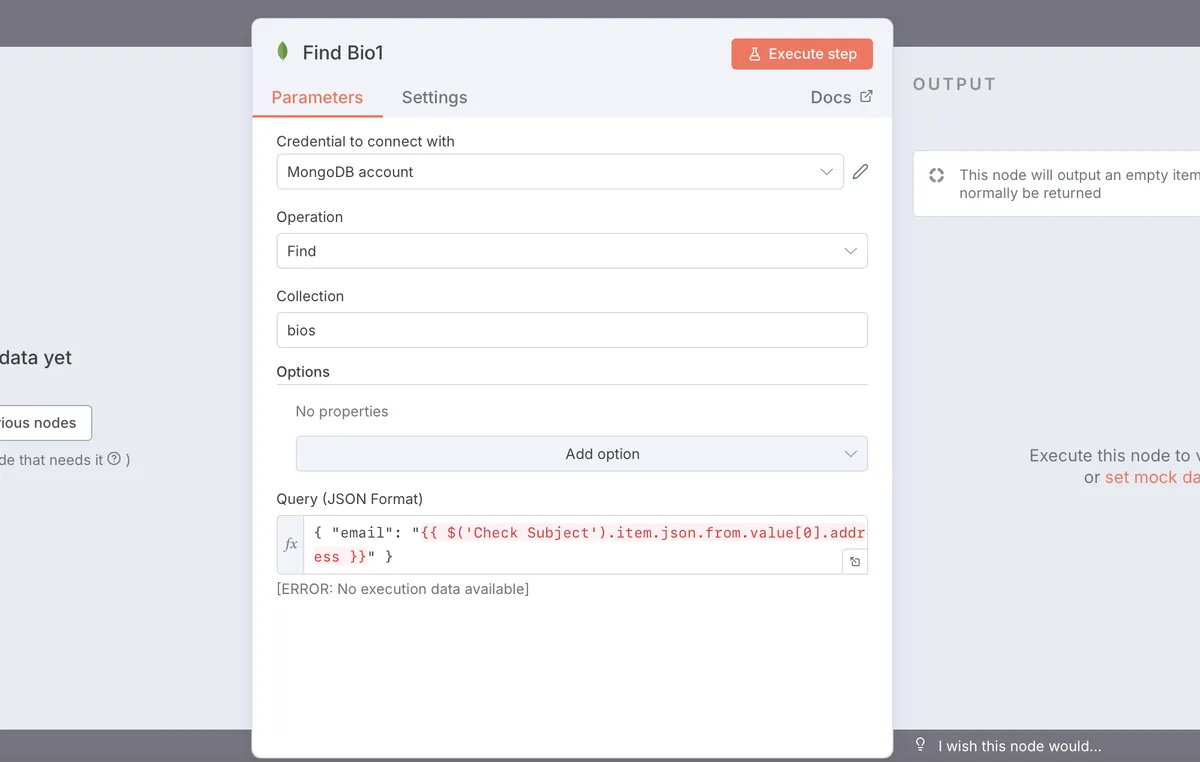
Read - Find Documents
This operation retrieves documents from MongoDB based on a query. It's incredibly flexible:
Operation: Find
Collection: myCollection
Query: {"status": "active"}
Or like this one where I find out, if the user who is emailing us is a paying customer or not, and hence, if I should flag her as priority or not.
Update - Modify Documents
This is where we change existing documents. The workflow usually looks like:
[Find Document] → [Prepare Update Data] → [MongoDB: Update]
In the MongoDB update node:
Operation: Update
Collection: myCollection
Update Key: _id
The data to update comes from the previous node, which should include both the _id and the fields you want to change.
Delete - Remove Documents
This permanently removes documents based on a query:
Operation: Delete
Collection: myCollection
Query: {"_id": "{{$json._id}}"}
Like here, when someone emails us that they want to leave the service, the LLM agent figures out the intent and then we delete all their data from the database and send them a good bye message.
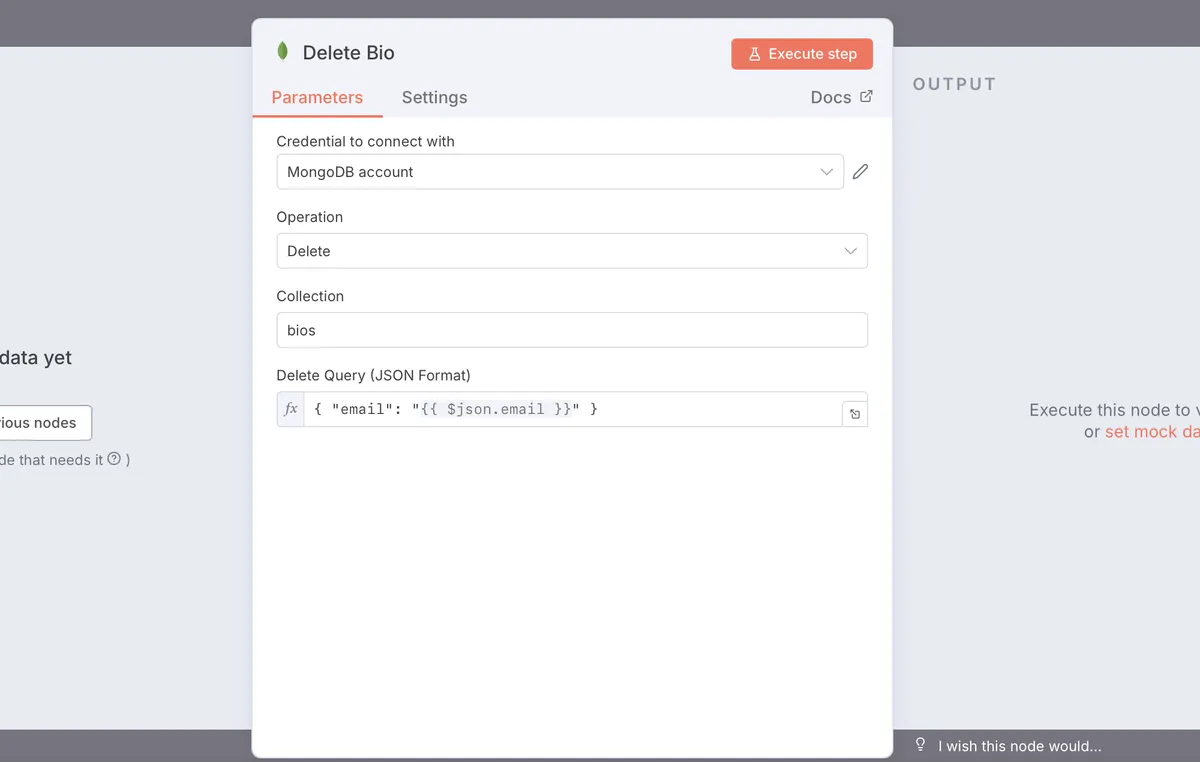
Be careful with this one! I always double-check my query before running a delete operation, especially if it might match multiple documents.
Final Thoughts
Working with MongoDB in n8n has been a game-changer for my automation workflows. The key lessons I've learned are:
- Always prepare your data properly before sending it to MongoDB
- Understand how the
_idfield works for updates and deletes - Use the right operation for each CRUD function
- Double-check your queries, especially for delete operations
Did this help clarify how to work with MongoDB in n8n? Have you run into any other challenges I didn't cover? I'd love to hear about your experiences in the comments below or reach out to me.
Until next time, happy automating!
Cheers, Rohit
BTW, I am the founder of Studio-021, where I help clients make ideas real and solve complex challenges. If you are looking for someone who can help you get unstuck, give me a call :)