DSPy 101: Programming Prompts (sort of)
If you’ve been building with Large Language Models (LLMs), you know the pain: you tweak a prompt string, your output breaks. You change the model from GPT-4 to Claude, and suddenly your carefully crafted instructions stop working.
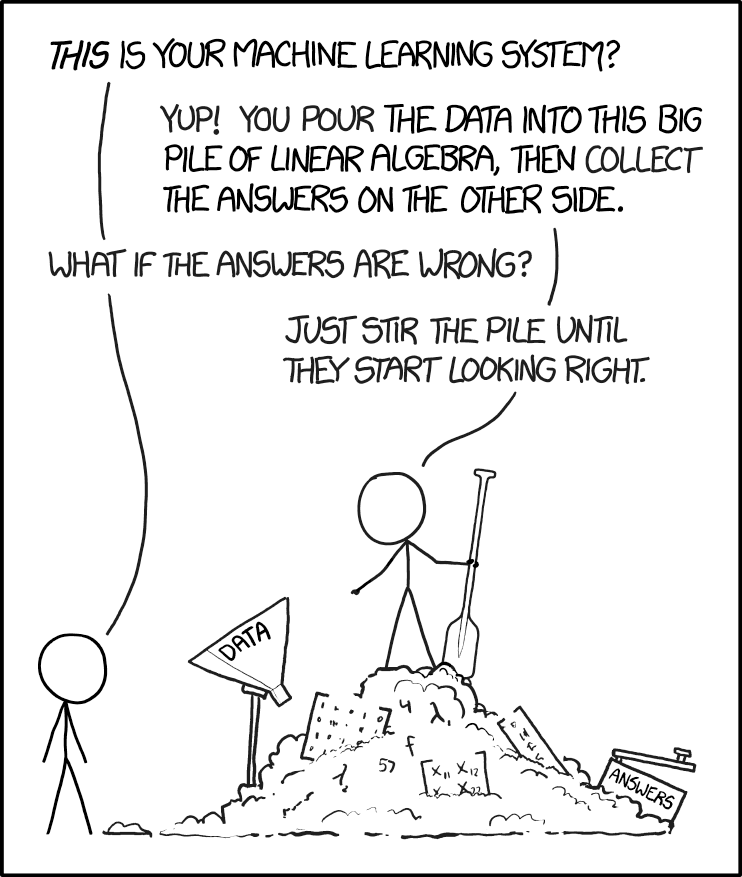
This is not a bug, it's a feature. When we talk about LLMs in a context of a larger app, LLMs add a lot of value but also a lot of non-deterministic elements to the business logic. It is like, having a function that may return something now, but entirely different thing when the semantic network inside its weight network computes a different output. Its probabilistic.
Many people know about it (not as much as we would like). Hence, there are lot of strategies that minimise this. One of the main strategies is to write bullet proof prompts. We can call this strategy as "Prompt Engineering" or "Context Engineering". I am not sure, what it will be called in the future.

Now, prompts... "You are a helpful assistant". Prompt engineering is like Graphic Design. Everyone is a prompt engineer and no one is the prompt engineer. Since, prompts are language (structured), and language is subjective, two people will write different prompts for the same thing. It is ok, if you are writing a prompt to ask ChatGPT to decipher a confusing date-night conversation, but not good when your app's business logic depends on it. This act of writing direct human like prompts is called "String Manipulation".
Imagine a receipt classification app, which gets in the slips and churns out tax and amount. Then you report them to the tax module and tax gets deducted. A small error over time could land a less vigilant user in trouble with tax authorities.
This is where DSPy (Declarative Self-improving Python) shines.
DSPy shifts your focus from writing prompt strings to writing code modules, resulting in LLM applications that are far more reliable and easier to optimize.
In this first post, we’ll set up the environment and define the three foundational components of any DSPy application.
1. The Setup
First, let's get connected. DSPy works with almost any LLM backend. I use openrouter to keep things simple. Here is a quick way to set it up. When generating prompts DSPy does not use LLMs but when querying or optimising (we will see this later), it does use LLMs. Make sure to have one setup before proceeding.
import dspy

# Configure the language model
# (Replace 'your-api-key-here' with your actual API key)
lm = dspy.LM(
    model="openrouter/anthropic/claude-3-haiku",
    api_base="https://openrouter.ai/api/v1",
    api_key='your-api-key-here',
)

# Globally configure DSPy to use this model
dspy.settings.configure(lm=lm)
2. DSPy Ingredients

In the world of traditional prompt engineering, creating an AI workflow is like trying to manage a restaurant using only hand-written, messy order slips that change every time you write them. DSPy replaces this chaotic process with a structured system.
A. The Signature: The Recipe
A Signature is the Recipe for your LLM task. It defines exactly what ingredients (inputs) are needed and the specific final dish (structured output) that must be delivered.
You are not telling the LLM how to cook; you are only defining the strict requirements for the final dish.
class BasicQA(dspy.Signature):
    """Answer questions with short factoid answers."""

    # Input: The ingredient the LLM receives
    question = dspy.InputField()
    # Output: The mandatory format for the answer
    answer = dspy.OutputField(desc="often between 1 and 5 words")
B. The Module: The Chef
If a Signature is the Recipe, a Module is the Chef hired to execute that recipe. The Module takes the raw input, delegates the task to the LLM using a DSPy predictor (like dspy.Predict), and serves the final, structured output.
class BasicQAModule(dspy.Module):
    def __init__(self):
        super().__init__()
        # We assign a Predictor (a tool for the Chef) to our BasicQA recipe
        self.generate_answer = dspy.Predict(BasicQA)

    def forward(self, question):
        # The Chef executes the task
        return self.generate_answer(question=question)

# Let's run it
qa_module = BasicQAModule()
result = qa_module(question="What is the capital of France?")
print("Answer:", result.answer)
3. Predict vs. ChainOfThought
This is where you gain granular control over the LLM’s cognitive process. By changing one word in your Module's initialization, you choose between a fast, direct answer and a thoughtful, step-by-step analysis.
dspy.Predict (Direct) vs. dspy.ChainOfThought (Reasoning)
| Feature | dspy.Predict |
dspy.ChainOfThought |
|---|---|---|
| Process | Direct question → answer | Adds a reasoning step before the answer |
| Output Fields | Only the Signature fields | Signature fields plus reasoning |
| Trade-Off | Faster, fewer tokens | Better accuracy, more tokens |
The Code Difference:
# Predict: Direct answer
self.generate_answer = dspy.Predict(BasicQA)

# ChainOfThought: Automatically adds a 'reasoning' output field
self.generate_answer = dspy.ChainOfThought(BasicQA)
Side-by-Side Comparison
Let’s use a simple math problem to see the difference in the output structure.
# Module with Predict (no reasoning)
class PredictModule(dspy.Module):
    def __init__(self):
        super().__init__()
        self.generate_answer = dspy.Predict(BasicQA)
    def forward(self, question):
        return self.generate_answer(question=question)

# Module with ChainOfThought (with reasoning)
class CoTModule(dspy.Module):
    def __init__(self):
        super().__init__()
        self.generate_answer = dspy.ChainOfThought(BasicQA)
    def forward(self, question):
        return self.generate_answer(question=question)

predict_module = PredictModule()
cot_module = CoTModule()
question = "What is 15 + 23?"

# Predict result
result1 = predict_module(question=question)
print("--- Predict (Direct) ---")
print(f"Answer: {result1.answer}")
print(f"Has reasoning field: {hasattr(result1, 'reasoning')}")

# ChainOfThought result
result2 = cot_module(question=question)
print("\n--- ChainOfThought (With Reasoning) ---")
print(f"Reasoning: {result2.reasoning}")
print(f"Answer: {result2.answer}")
print(f"Has reasoning field: {hasattr(result2, 'reasoning')}")
OUTPUT
=== Comparing Predict vs ChainOfThought ===

Question: What is 15 + 23?

--- Predict (Direct) ---
Answer: 38
Has reasoning field: False

--- ChainOfThought (With Reasoning) ---
Reasoning: To calculate 15 + 23, I will add the two numbers together.
Answer: 38
Has reasoning field: True
4. Bonus Example
Signatures are especially useful when you need the LLM to perform creative or multi-step thinking while still adhering to a strict output schema.
Here, we force the LLM to output a single word and a poetic sentence based on the input text.
class EmotionDetectionSig(dspy.Signature):
    """Detect the emotion of a given text and express it in a single word and poeticially."""
    text = dspy.InputField()
    oneWordEmotion = dspy.OutputField(desc="A single word expressing the emotion of the text")
    poeticEmotion = dspy.OutputField(desc="A poetic expression of the emotion of the text")

class SayWhat(dspy.Module):
    def forward(self, text):
        predictor = dspy.Predict(EmotionDetectionSig)
        output = predictor(text=text)
        return output

say_what = SayWhat()
text_input = "There are only three ways to make this work. The first is to let me take care of everything. The second is for you to take care of everything. The third is to split everything 50 / 50. I think the last option is the most preferable, but I'm certain it'll also mean the end of our marriage."
output = say_what(text=text_input)

print(f"\nInput: {text_input}")
print(f"One Word Emotion: {output.oneWordEmotion}")
print(f"Poetic Expression: {output.poeticEmotion}")
OUTPUT :
Apprehensive
The mind wrestles with uncertainty,
Fearing the fragility of union,
As compromise hangs in the balance,
Casting a shadow of doubt upon the future.
5. But what is the prompt you are sending?
You can see what DSPy is telling the LLMs using the history command. In later posts, I will talk about how we can take this from DSPy and then use it in our typescript apps.
# Clear history to see only the latest call
dspy.settings.lm.history.clear()

# Make a call
qa_module(question="What is 5 + 7?")

# Pretty print the interaction
from dspy.utils.inspect_history import pretty_print_history
pretty_print_history(dspy.settings.lm.history, n=1)
OUTPUT
Question: What is 5 + 7?
Answer: 12

=================================================================

[2025-11-29T11:40:35.120947]

System message:

Your input fields are:
1. `question` (str):
Your output fields are:
1. `answer` (str): often between 1 and 5 words
All interactions will be structured in the following way, with the appropriate values filled in.

[[ ## question ## ]]
{question}

[[ ## answer ## ]]
{answer}

[[ ## completed ## ]]
In adhering to this structure, your objective is:
        Answer questions with short factoid answers.

User message:

[[ ## question ## ]]
What is 5 + 7?

Respond with the corresponding output fields, starting with the field `[[ ## answer ## ]]`, and then ending with the marker for `[[ ## completed ## ]]`.

Response:
[[ ## answer ## ]]
12
[[ ## completed ## ]]
Next Steps
We've mastered the basics: Signatures, Modules, and the power of Chain of Thought. But we are still manually defining our logic.
In the next post, we will look at more complex examples like Multi level prompting, defining output syntax and take a shot at making a classifier.
Stay tuned!
If you need a hand with your AI projects or need a quick demo feel free to get in touch using the contact page
Images from Unsplash, xkcd, reddit
BTW, I am the founder of Studio-021, where I help clients make ideas real and solve complex challenges. If you are looking for someone who can help you get unstuck, give me a call :)